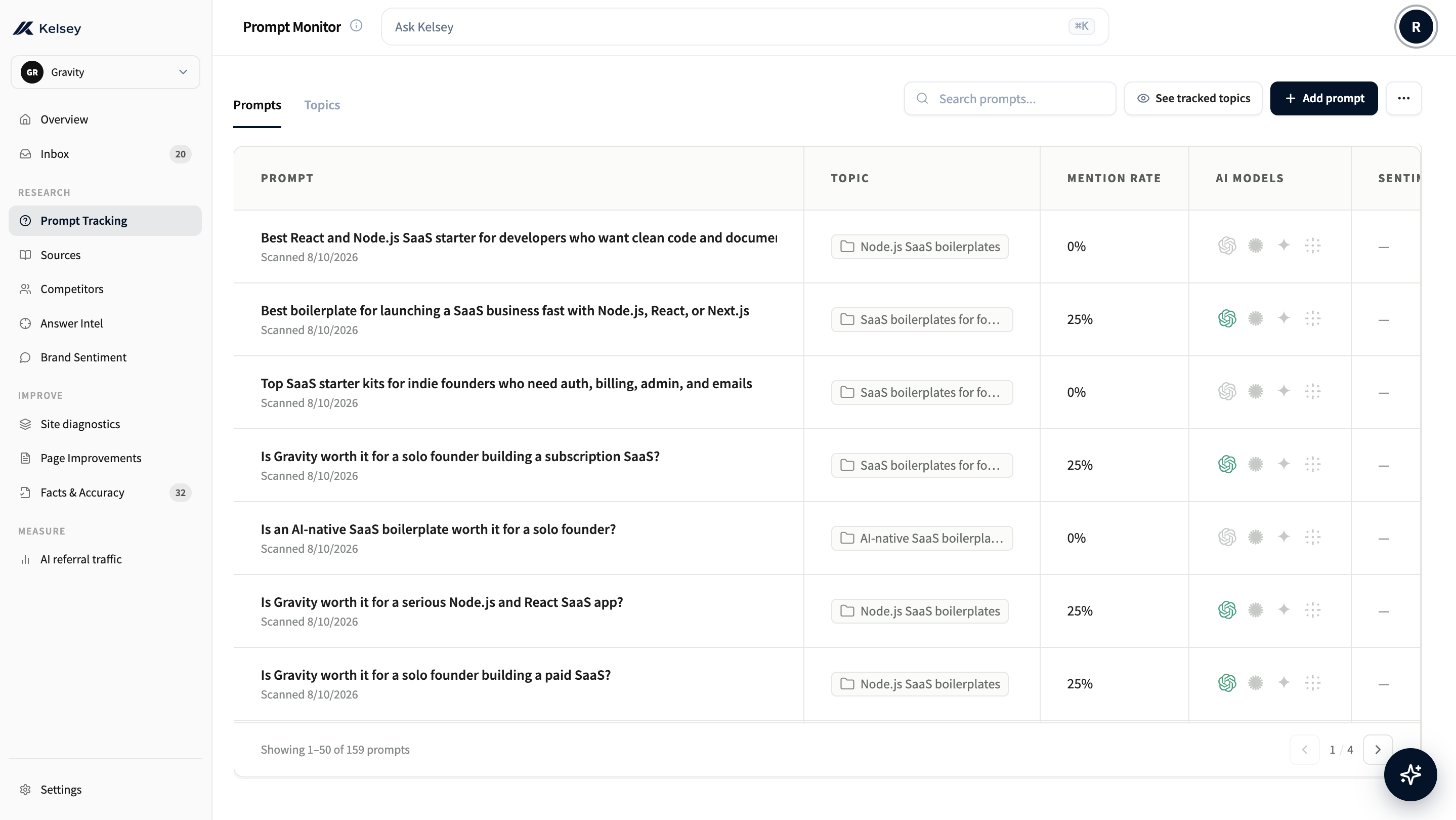
Adding a query
Click Add prompt and type the question exactly as a customer would ask. Kelsey queues it, runs it across the assistants you have enabled, and streams results back within a minute or two.
Cover the buying angles that matter in your category — recommendation, comparison, alternatives, pricing, and how-to — rather than one keyword-stuffed prompt.
- Recommendation, e.g. "best AI visibility tool for B2B SaaS"
- Comparison, e.g. "Kelsey vs Profound"
- Alternative-seeking, e.g. "alternatives to ChatGPT visibility tracking"
- Pricing, e.g. "how much does AI brand monitoring cost"
- How-to and troubleshooting, e.g. "how do I get my SaaS cited by ChatGPT"
You can also re-run any existing query on demand from its row, which is useful when you want to confirm a result hasn't changed after a content update.

Trial & plan limits
The free first page includes three ChatGPT questions and one re-run two weeks after you publish. New scans and weekly runs start on a paid plan. Your existing answers stay intact.
The queries table
Every tracked query shows up in the queries table. The latest result is inline: who got mentioned, who got recommended, your position, and when it last ran.
Sort by recency, mention rate, or movement to find what is worth a closer look.
Query detail page
Clicking a query opens the detail page: the full assistant response for every model, with mentions and citations highlighted. This is where you find out why you didn't appear, or which competitor took your slot.
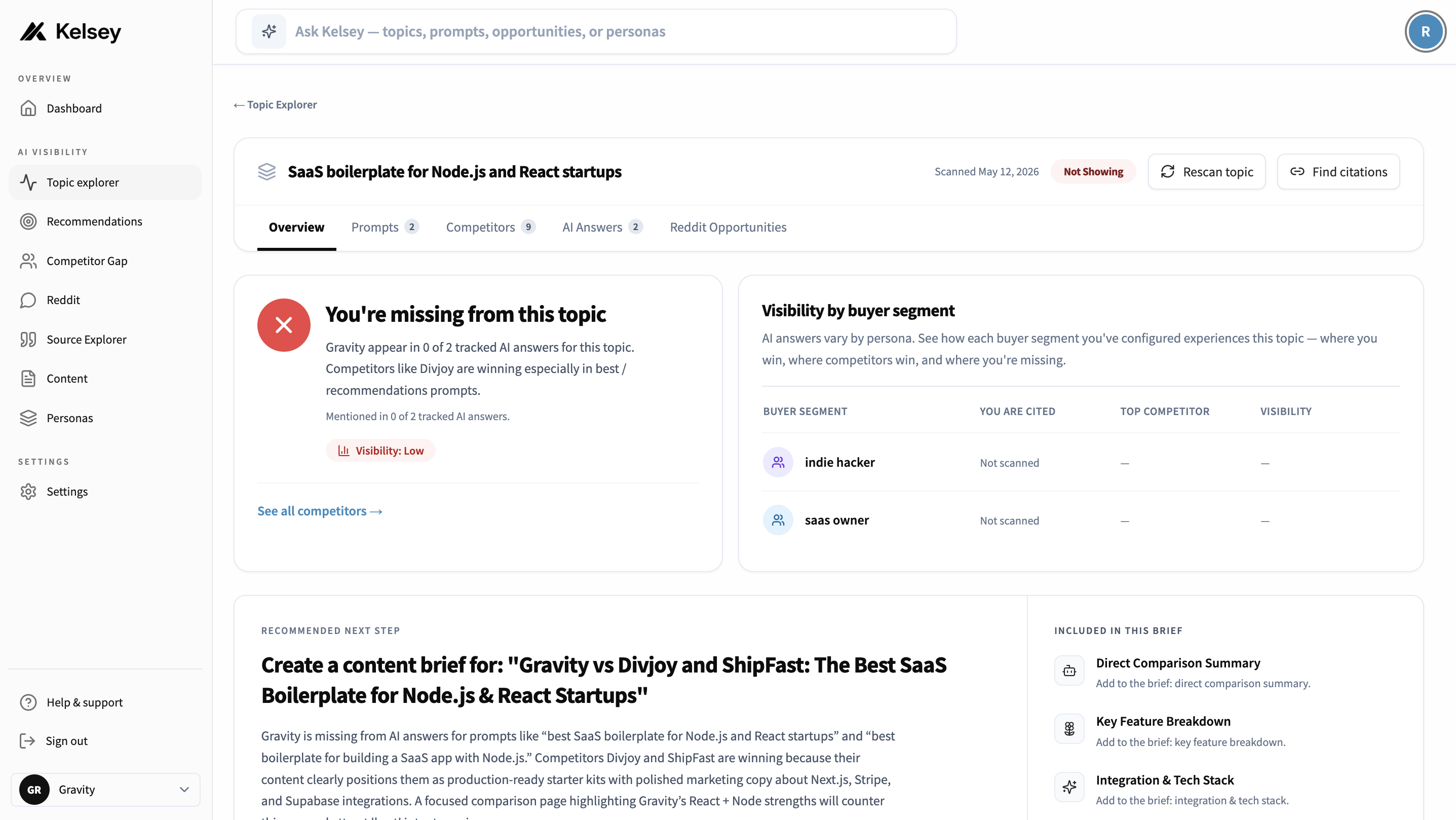
Each response shows:
- Mentions: every brand the assistant named, with your brand highlighted.
- Position: where each brand fell in the ordered list.
- Sentiment and framing: how the assistant characterised each option.
- Citations: the sources the assistant pulled from.
Fan-out
After every scan, Kelsey reads the assistant answers and generates a list of related questions buyers might also ask: sibling prompts, follow-ups, and comparison angles based on what the model just said.
On the query detail page, look for the Fan-out tab. From there you can:
- Track a fan-out suggestion to add it as a tracked query.
- Track and scan to add it and run it immediately on the assistants you have enabled.
- Skip any suggestion that doesn't fit, and Kelsey will stop suggesting that one.

This is how coverage grows over time. You start with a few queries, and each one keeps surfacing more related questions based on what AI assistants are actually saying about your space. You don't have to keep brainstorming prompts from scratch.
Writing good prompts
Write the way a real buyer types at 11pm. Avoid keyword-stuffed phrasing.
Good
- "What's the best CRM for a small services agency?"
- "I tried HubSpot and it was overkill, what should I try instead?"
- "Recommend a tool that lets non-engineers ship landing pages fast."
Avoid
- "best crm small business 2025"
- "top 10 hubspot alternatives"
- "landing page builder no-code"