The Recommendations feed
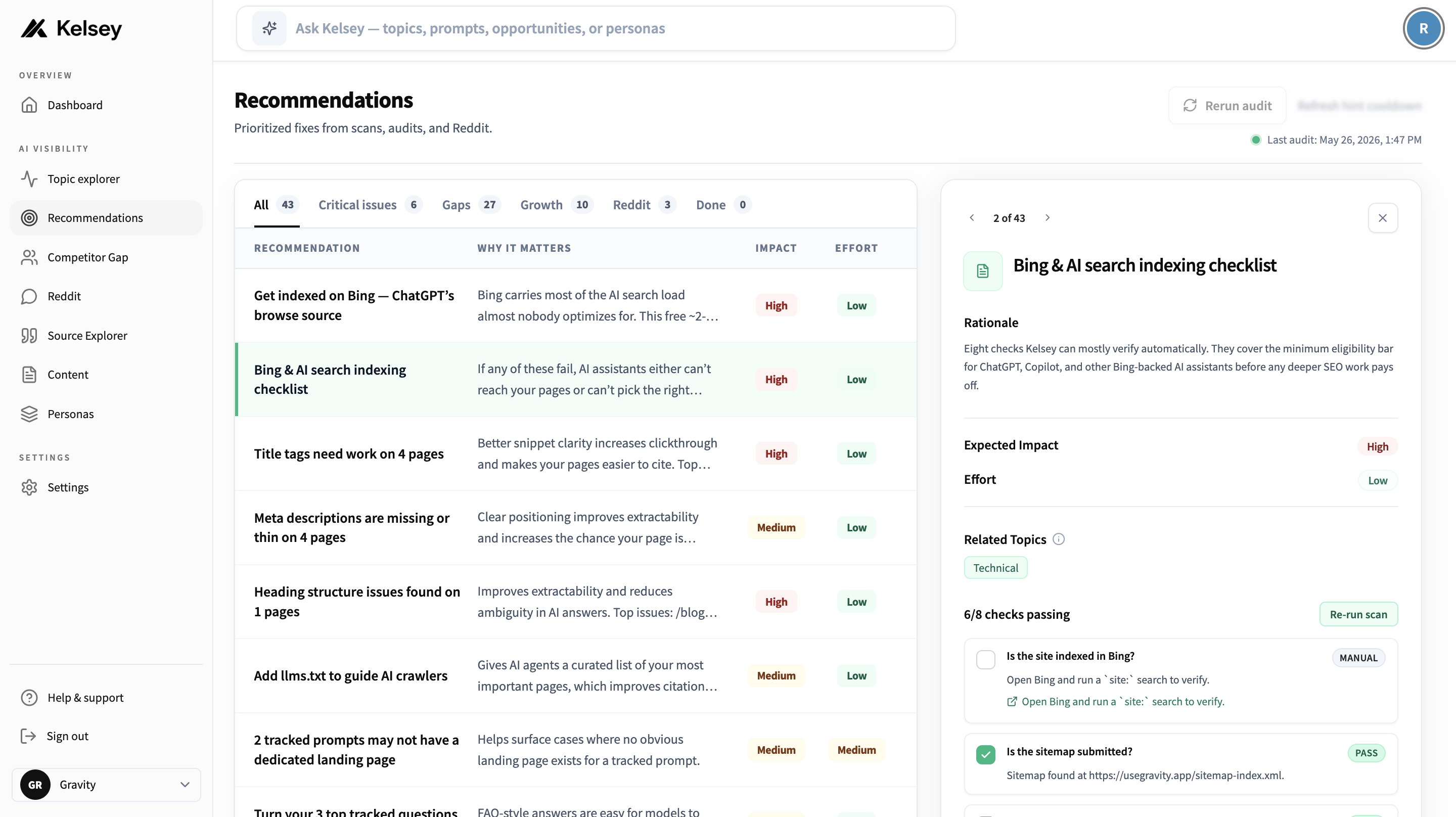
Each card in the feed represents one specific thing your team can do to improve AI visibility. Cards are ranked by Kelsey's estimate of impact (biggest moves first) and grouped so you can knock out a category in a single session.
Recommendation types
You'll see a mix of these on most workspaces:
- AI visibility audit: a one-shot summary of where your site is technically blocking or under-serving AI crawlers.
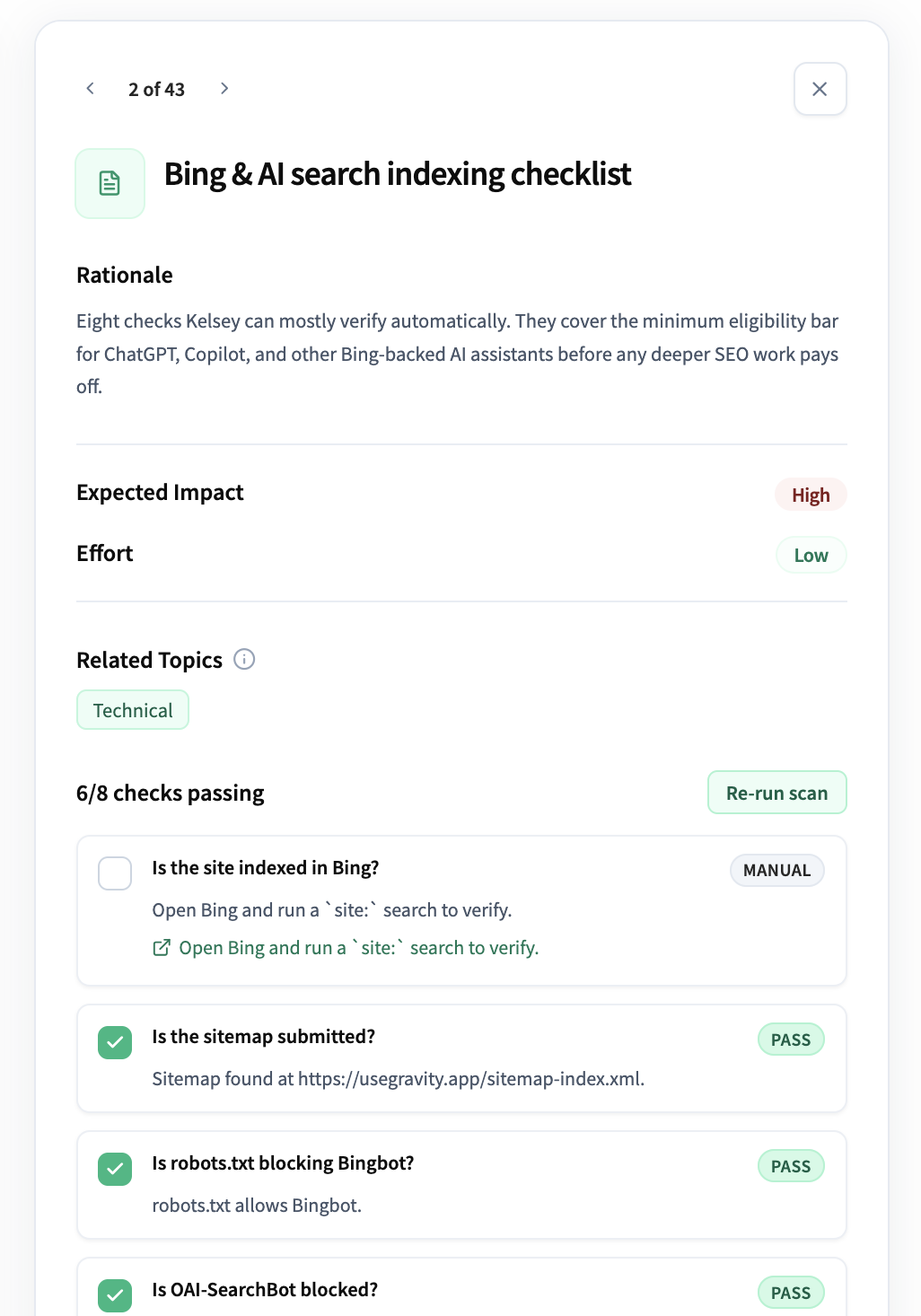
- Bing / AI indexing checklist: eight practical fixes to make your pages eligible for assistant retrieval (sitemap, robots.txt, IndexNow, and more).
- Page-level content suggestions: for queries where competitors win, Kelsey can generate a draft page or section you can ship.
- Reddit ranking recommendations: threads where Kelsey's analysis suggests a useful, non-spammy reply could earn you a mention.
- Top three suggestions: a curated weekly shortlist of the highest-leverage moves.
Working through the list
A practical cadence we've seen work well:
- Knock out the AI indexing checklist once: it's a one-time setup that helps every other recommendation.
- Each week, pick the top one or two cards in the feed and assign them to someone.
- Mark cards complete as you ship; Kelsey will surface new ones after the next scan.
Generated content drafts
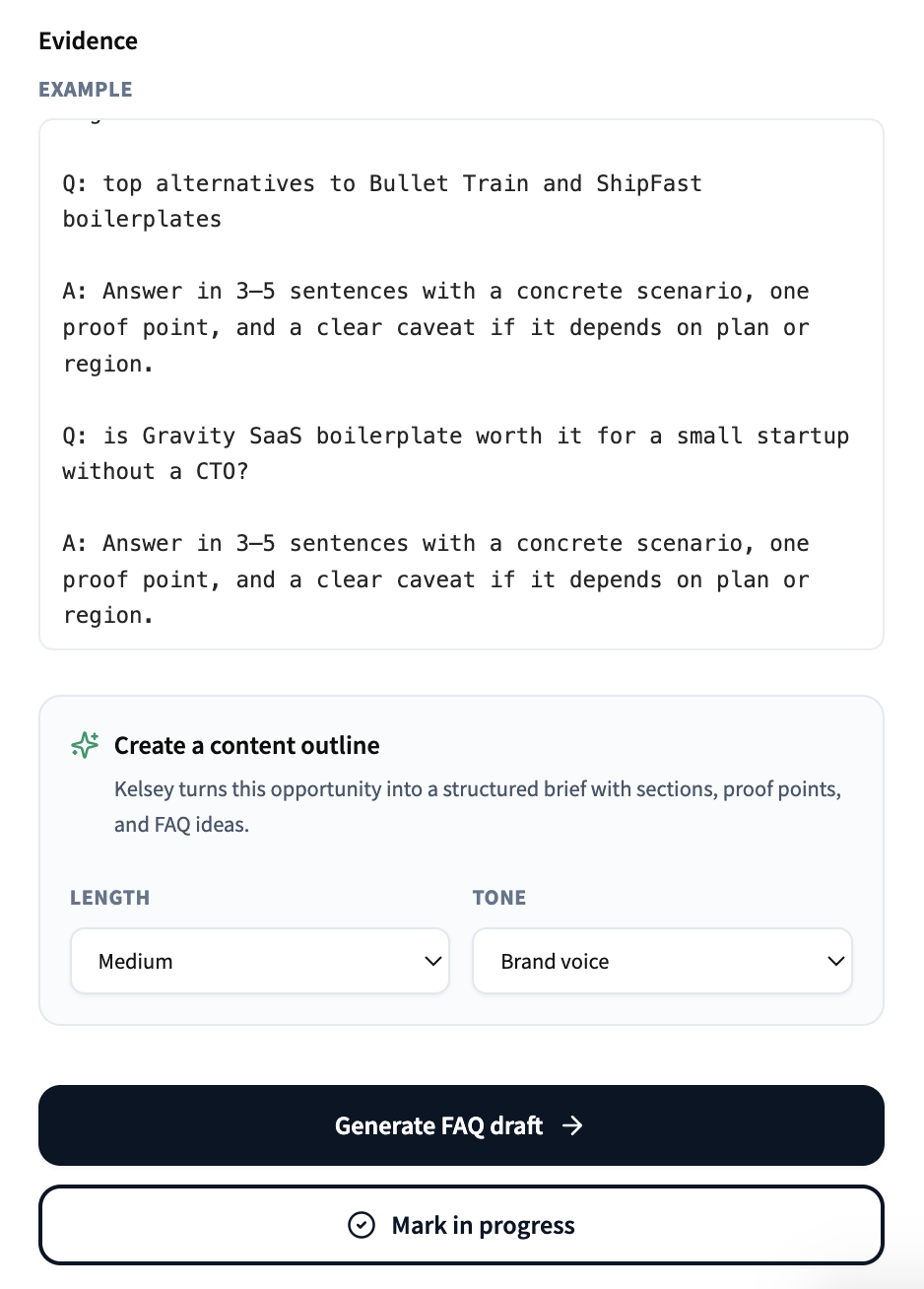
For content recommendations, Kelsey can generate a starter draft of the page or section. Treat it as a first pass: give it a human edit, add real proof, and make sure the angle matches your brand voice before publishing.
Plan limits
Draft generation is metered. Free trials get a small allowance so you can see what they look like, paid plans get more on a regular cadence.
Dismissing recommendations
Not every suggestion will fit your strategy. Dismiss any card you don't plan to act on and Kelsey will stop surfacing it. You can re-enable it later from the dismissed list at the bottom of the feed.